Rental agreements & digital signatures
Create, Store & Send Agreements for Each Property
Create or upload agreements, customize as needed, and send directly to guests for secure digital signatures. Save time and stay organized. Use AI to assist you if you need help writing.
- Create or upload
- Property specific
- Digital signature
- Secure storage
- Organized templates
- Secure signing
- Property-specific

Create or Upload
Use your own documents
Property-Specific
Customize each agreement
E-Signatures
Guests sign online
Secure Storage
Keep everything organized
Everything You Need to Manage Agreements
Powerful features that save you time and protect your property.
Upload or Create
Upload your PDF or Word documents or create new agreements with our easy editor.
Property Specific
Store different agreements for each property so you are always prepared.
Edit as Needed
Customize details like dates, guest names, amounts and special terms before sending.
Send to Guests
Email agreements directly to guests with a secure link to review and sign.
Digital Signatures
Guests can sign from any device. No printing, scanning or mailing required.
Secure Storage
All signed agreements are stored with the reservation for easy access anytime.
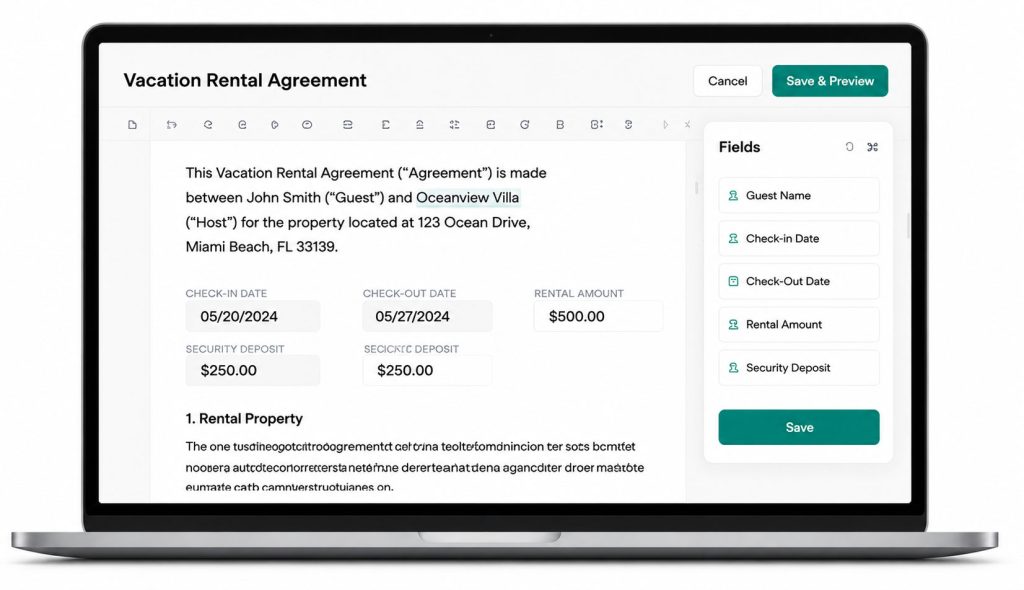
Professional Agreements.
A Better Guest
Experience.
- Build trust with clear, professional documents
- Protect your property and set clear expectations
- Give guests a seamless digital signing experience
- Keep everything organized in one secure place
SM
“This feature alone has saved me hours every week. I create an agreement once, reuse it, and send it in just a few clicks.”
How It Works
Get agreements signed in just a few simple steps.
1
Create or Upload
Create a new agreement or upload your existing document.
2
Assign to Property
Choose the property and save the agreement as a template.
3
Customize
Edit details for the reservation as needed.
4
Send to Guest
Email the agreement directly to your guest to review and sign.
5
Signed & Stored
The signed agreement is automatically stored with the reservation.
Save Time. Stay Organized. Protect Your Property.
Create, manage and send rental agreements with ease.
Instant Setup No Commission’s